
A Simple Two-Minute Maintenance Routine
After a thorough cleaning, maintaining the fan is much easier than waiting until thick layers of dust return.
Every week or two, depending on how dusty your home is, unplug the fan and spend a few minutes removing loose dust from the grille and exterior.
Use a microfiber cloth, soft brush, or vacuum attachment.
This simple habit prevents dust from becoming compacted or greasy and can reduce the need for more difficult cleaning later.
How Often Should You Clean a Fan?
There is no single schedule that fits every home.
A fan in a relatively clean bedroom may need only light cleaning every few weeks, while a fan used near pets, an open window, or a kitchen may collect debris much faster.
Inspect the grille periodically. If dust is clearly visible on the bars or blades, it is time to clean it.
Homes With Pets May Need More Frequent Cleaning
Pet hair and dander can accumulate quickly around air-moving appliances.
Fans placed near pet beds or areas where animals spend a lot of time may need more frequent vacuuming.
Removing loose hair before it becomes tangled around openings is much easier than trying to remove compacted buildup later.
Fans Near Open Windows
Open windows can bring in pollen, outdoor dust, soil particles, and other debris.
If a fan is positioned to pull outside air into a room, check the rear grille regularly because it may collect considerable material.
Fans Used During Pollen Season
During high-pollen periods, outdoor allergens can settle on fan surfaces.
Frequent dry cleaning of the grille can reduce visible buildup.
If allergies are a major concern, cleaning the fan should be combined with broader indoor-air measures rather than relying on fan cleaning alone.
Fans in Smoky Environments
Smoke particles can combine with ordinary dust and create a sticky film that is difficult to remove.
This can happen around cigarette smoke, fireplaces, candles, cooking smoke, or other sources.
Reducing the source of smoke is more effective than repeatedly cleaning the fan after buildup occurs.
Why a Fan May Smell Dusty When Turned On
If a fan has been unused for a long period, dust may settle heavily on the grille and blades.
When the fan is switched on again, some of that loose dust can be disturbed, creating a noticeable dusty smell.
Unplug and clean the appliance before using it regularly again.
What If the Fan Smells Burnt?
A burnt or electrical smell is different from an ordinary dusty odor.
If a fan smells hot, burnt, or electrical, switch it off and unplug it immediately.
Do not continue using the appliance simply because it still spins.
A persistent burning smell can indicate overheating, motor problems, damaged wiring, or another fault that requires proper inspection.
What If the Fan Starts Making New Noises?
Rattling, grinding, scraping, buzzing, or clicking that was not present before can indicate loose components, blade contact, bearing problems, or internal wear.
Cleaning may remove debris that is brushing against the grille, but persistent mechanical noise should not be ignored.
Stop using the fan if the sound suggests something is loose or damaged.
What If the Fan Shakes or Wobbles?
A fan that suddenly vibrates excessively may have uneven dust buildup, a bent blade, a damaged grille, a loose base, or another mechanical problem.
Cleaning visible buildup can sometimes improve balance, but do not attempt to bend blades or modify the motor shaft yourself.
If wobbling continues, follow the manufacturer’s service recommendations.
Check the Power Cord While Cleaning
Cleaning time is also a good opportunity to inspect the power cord.
Look for cracking, fraying, exposed wires, damaged insulation, or a loose plug.
Do not tape over serious electrical damage and continue using the fan.
A damaged power cord can create shock or fire risks.
Inspect the Plug
Check whether the plug looks discolored, melted, cracked, or unusually warm after use.
Any sign of heat damage deserves attention.
Do Not Pull the Plug by the Cord
When unplugging the fan, hold the plug itself rather than pulling on the cord.
Repeatedly yanking the cord can weaken the connection over time.
Keep Fans Away From Water
Do not position a standard household fan where it may be splashed by sinks, bathtubs, showers, pools, or outdoor rain unless the appliance is specifically designed for that environment.
Electrical appliances and water are a dangerous combination.
Bathroom Fans Are Different
A portable fan used in a bathroom should be treated according to its specific electrical safety rating and manufacturer guidance.
Do not assume a standard bedroom fan is safe simply because the room feels humid.
Outdoor Fans Need Special Care
If a fan is designed for outdoor use, its cleaning and weather-resistance specifications may differ from indoor appliances.
Follow the product instructions rather than applying an indoor cleaning routine automatically.
Should You Remove the Grille Eventually?
There comes a point where cleaning through the grille is no longer practical.
If thick grime covers the inner blades, hair is wrapped around internal parts, or greasy buildup is inaccessible, a proper deep cleaning may require removing the grille.
Only do this if the manufacturer provides instructions for safe disassembly and reassembly.
Why Manufacturer Instructions Matter
Fans vary significantly in construction.
Some grilles are held by clips, others use screws, and some are not intended to be removed by the user.
Different plastics and finishes also tolerate different cleaners.
The manual is therefore the best source for model-specific cleaning instructions.
Do Not Force Clips or Screws
If a grille is difficult to remove and the manual does not clearly explain how to do it, do not pry it open with a screwdriver or knife.
Breaking a clip or deforming the grille can make the fan unsafe to operate.
When Professional Servicing Makes Sense
Professional inspection may be appropriate when the fan has internal grease buildup, electrical damage, overheating, sparking, unusual motor noise, a damaged cord, or inaccessible internal debris.
For inexpensive fans, replacement may sometimes be more practical than complicated repair, but electrical faults should never be ignored.
Can Cleaning Improve Airflow?
Yes, in some cases.
Heavy dust can partially obstruct grille openings and coat blade surfaces.
Removing that buildup can help the fan move air more freely.
However, if airflow remains weak after cleaning, the problem may involve the motor, speed controls, blade design, or normal wear rather than dust alone.
Can Cleaning Make the Fan Quieter?
If loose dust, hair, or debris is brushing against moving parts, cleaning may reduce some noise.
But grinding, buzzing, or bearing noise usually requires more than surface cleaning.
Do Fan Blades Need to Be Perfectly Spotless?
No.
If reaching a small amount of dust requires forcing tools deep inside the appliance or using excessive moisture, it is safer to leave the area alone until proper disassembly can be performed.
The goal is practical maintenance, not risking damage in pursuit of a perfectly polished blade.
How to Keep the Area Around the Fan Cleaner
Reducing surrounding dust can slow how quickly the fan becomes dirty.
Vacuum or sweep nearby floors regularly, clean dusty shelves, wash pet bedding, replace HVAC filters according to system guidance, and keep nearby surfaces free of thick dust.
Every particle you remove from the room is one less particle available to collect on the fan.
Keep the Fan Off the Floor When Practical
Fans positioned directly on dusty floors may collect more hair and debris around their lower openings.
If the design allows, placing the fan on a stable, appropriate surface can sometimes reduce exposure to floor-level debris.
Never place it somewhere unstable or where it could fall.
Avoid Storing the Fan Dirty
Before storing a seasonal fan, clean and dry it.
Dust left on the blades for months can become more difficult to remove later, particularly in humid conditions.
Store It in a Dry Place
Keep the fan in a dry area protected from excessive dust and moisture.
If you cover it, use a storage method that does not trap moisture inside the appliance.
Inspect It Before Using It Again
After long storage, check the cord, plug, grille, base, and visible moving parts before reconnecting the fan.
Make sure there are no insects, debris, damaged wires, or signs of moisture.
Common Mistake: Spraying Cleaner Directly Into the Fan
This is one of the easiest ways to send liquid toward the motor and electrical components.
Apply cleaner to the cloth instead.
Common Mistake: Using Too Much Soap
Excess detergent can leave sticky residue that attracts more dust.
A few drops in water are usually enough for routine cleaning.
Common Mistake: Trying to Reach Everything
If the fan design prevents safe access, stop.
No-disassembly cleaning has limitations, and recognizing those limits is part of cleaning safely.
Common Mistake: Reconnecting Too Soon
Allow all damp surfaces to dry fully before restoring power.
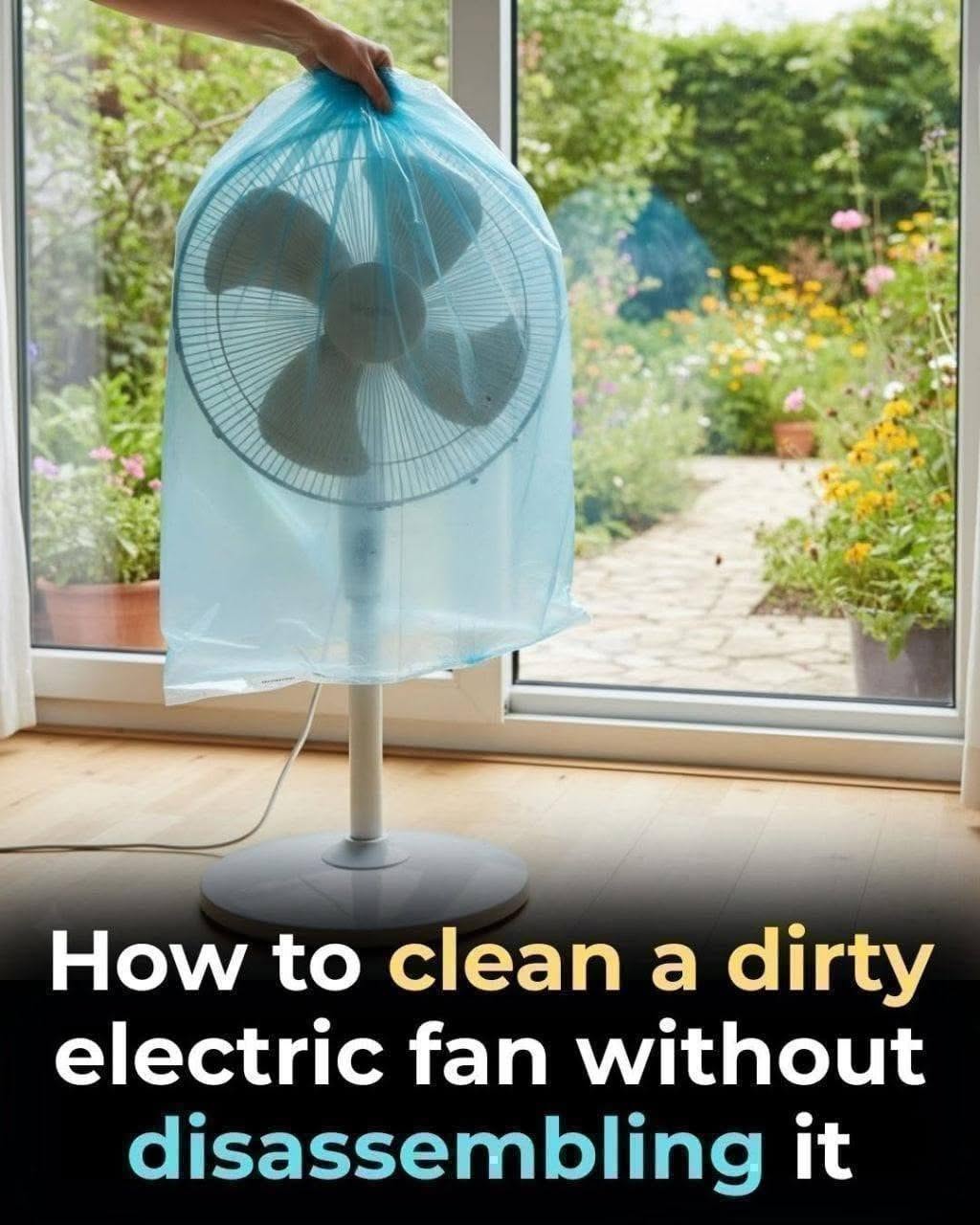
Common Mistake: Covering the Fan While Running
Do not use plastic bags, towels, sheets, or other materials around an operating fan.
Fans need clear airflow and unobstructed moving parts.
Common Mistake: Using Harsh Chemicals
Bleach, aggressive solvents, abrasive powders, and unknown chemical mixtures are usually unnecessary.
A dry brush, vacuum, microfiber cloth, and a small amount of mild soap can handle most routine cleaning.
A Simple Safe Cleaning Checklist
Turn off and unplug the fan.
Vacuum or brush away loose dust first.
Wipe exterior surfaces with a dry microfiber cloth.
Use a barely damp soapy cloth only where appropriate.
Keep liquid away from the motor, vents, switches, and wiring.
Use only blunt tools through the grille if access is safe.
Never clean moving blades.
Never cover a running fan with a bag.
Allow the appliance to dry completely before reconnecting it.
Stop using the fan if you notice overheating, electrical smells, sparks, or damaged wiring.
Final Thoughts
You do not always need to dismantle a fan to make a noticeable improvement in its cleanliness.
For light and moderate buildup, careful vacuuming, brushing, microfiber wiping, and a small amount of mild soapy water on appropriate exterior surfaces can remove a surprising amount of dust and grime.
The most important part of the process is restraint. Do not flood the grille, spray liquids toward the motor, force tools through narrow openings, or run the fan while it is wet or covered.
If dirt is too deep to reach safely, proper disassembly according to the manufacturer’s instructions is a better option than attempting an aggressive shortcut.
Once the fan is clean, a quick dry dusting every week or two can keep buildup under control and make the next cleaning much easier.
A cleaner fan starts with a simple rule: remove the dust you can reach safely, protect the electrical parts, and never sacrifice safety just to reach one last dirty spot.